How to Create Viral Instagram Reels AI Photo-to-Video Using Free Google Tools
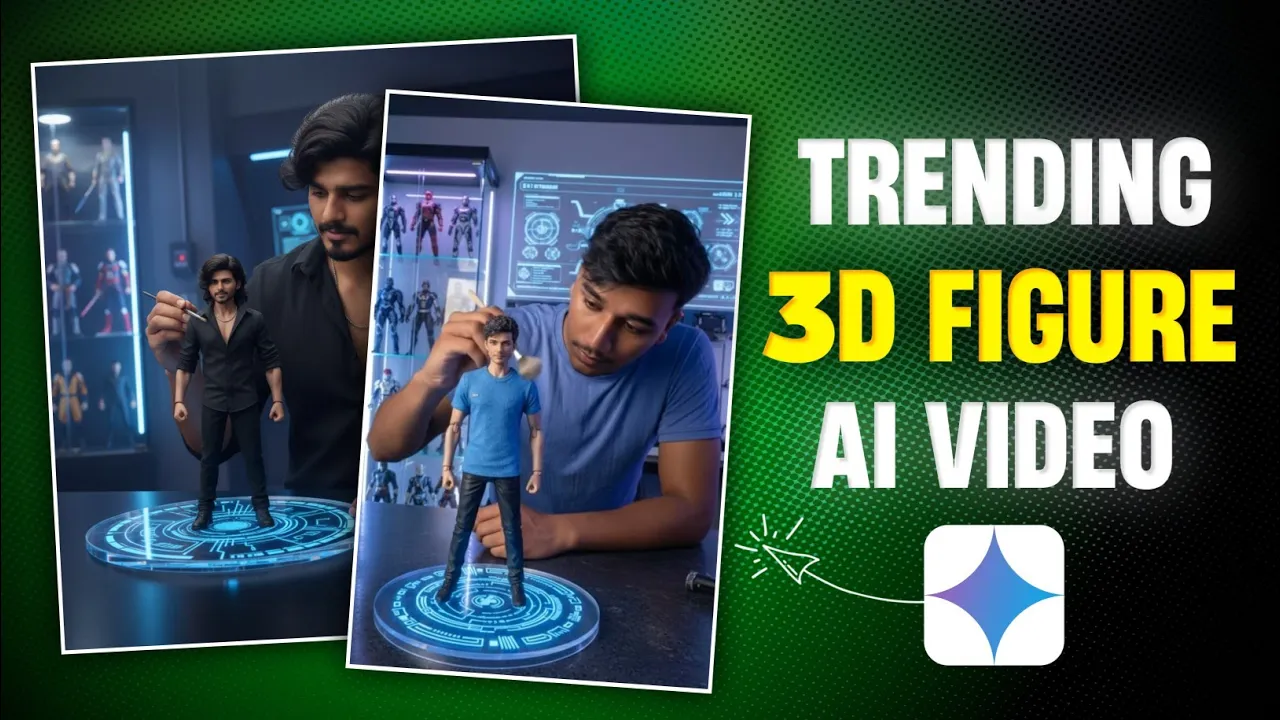
Hey guys! How are you all? In today’s tutorial, I’ll show you how you can create trending Instagram Reels AI photo-to-video edits using free Google AI tools. These kinds of videos are going super viral right now, and the best part is – you can do it in just a couple of simple steps. So make sure to read till the end!
Step 1: Generate an AI Image with Gemini App
The first step is to create an image using Gemini AI. Here’s how:
- Go to the Google Play Store and install the Gemini app (if you don’t already have it).
- Open the app. You’ll see a simple interface in front of you.
- Click on the “+” button and upload your photo from your gallery.
- Once uploaded, click the three-line menu and select “Create Image”.
- Now you need to enter a prompt. You can take it from the on-screen examples or from our Telegram channel (link in the description).
- Paste the prompt and hit Send. Within a few seconds, your AI-generated image will be ready.
If you don’t like the first result, you can simply regenerate another image. The best part is that Gemini saves your image in high quality directly in your gallery.
Step 2: Convert Image into Video with Google Flow AI
Once your image is ready, the next step is to turn it into a video using Google Flow AI. Here’s how:
- Open Chrome Browser on your mobile or PC.
- Search for “Google Flow AI” and click the first link (Google Labs official page).
- Sign in with your Gmail account – you will get 100 free credits.
- Click on “Create with Flow” and select New Project.
- Choose Frames to Video and upload the image you just created.
- Adjust the crop to Portrait mode for Instagram Reels and click continue.
- Now add a simple prompt, for example: “Add slow motion polishing effect with brush”.
- Click Send and wait a few seconds – Flow AI will generate a realistic video with sound effects included.
You can preview the video, and if satisfied, click Download to save it in original size. The final video will be of high quality with your same face intact – ready to be uploaded to Instagram Reels or YouTube Shorts.
Why This Method is Viral
People love AI-generated Instagram Reels because they look futuristic and professional. With just an image and a prompt, you can create cinematic videos that look like they were made in a studio. That’s why they are trending all over social media platforms.
This method is perfect for:
- Content creators who want to stand out
- Instagram influencers looking for viral growth
- YouTube Shorts creators who need quick, engaging content
Pro Tips for Best Results
- Always use high-quality selfies for better AI results.
- Experiment with different prompts to create unique effects.
- Upload in 9:16 portrait format for Instagram and TikTok.
- Use trending royalty-free music to make your videos more engaging.
Final Thoughts
So that’s how you can easily create viral Instagram Reels AI photo-to-video edits using just two tools: Gemini AI and Google Flow AI. It’s free, simple, and super fun to try out. I hope this guide helped you understand the complete process.
Now it’s your turn – start creating and share your AI videos on Instagram or YouTube Shorts. Who knows? Your next reel might just go viral!
Stay creative, stay happy, and keep spreading positivity. See you in the next tutorial!
💬 Join our WhatsApp Channel for updates!
👉 Click here to join