How to Swap Faces in Videos Using Free AI Tool (100% Realistic)
Hello guys, how are you doing? In today’s post, I’ll show you an amazing AI tool that allows you to swap faces in your videos with 100% accuracy. The results look completely realistic, and the best part is—it’s absolutely free. So make sure to read till the end, because I’ll also share other powerful tools available within this AI platform.
What is this AI Tool?
The tool we’re using today is called Arting AI. You can easily access it by searching for “Arting AI” on your Chrome browser (available on all smartphones and desktops). Alternatively, you can visit their official website directly from the Arting AI website.
Arting AI is completely free, offering tools for both images and videos. You don’t need to create an account or sign up—just open the site and start using the features right away.
Main Features of Arting AI
- AI Face Swap: Swap single or multiple faces in a video with 100% realistic accuracy.
- Image Tools: Background remover, watermark remover, image enhancer, replacer, extender, tattoo generator, AI girl generator, and even 3D model generator.
- Video Tools: Video enhancer, watermark remover, background remover, Earth zoom-out effect, and more trending effects.
- Free to Use: No account needed, unlimited usage with free daily credits (500+ credits every day).
How to Use AI Face Swap
- Open Arting AI on Chrome browser.
- Click on Video Face Swap from the menu.
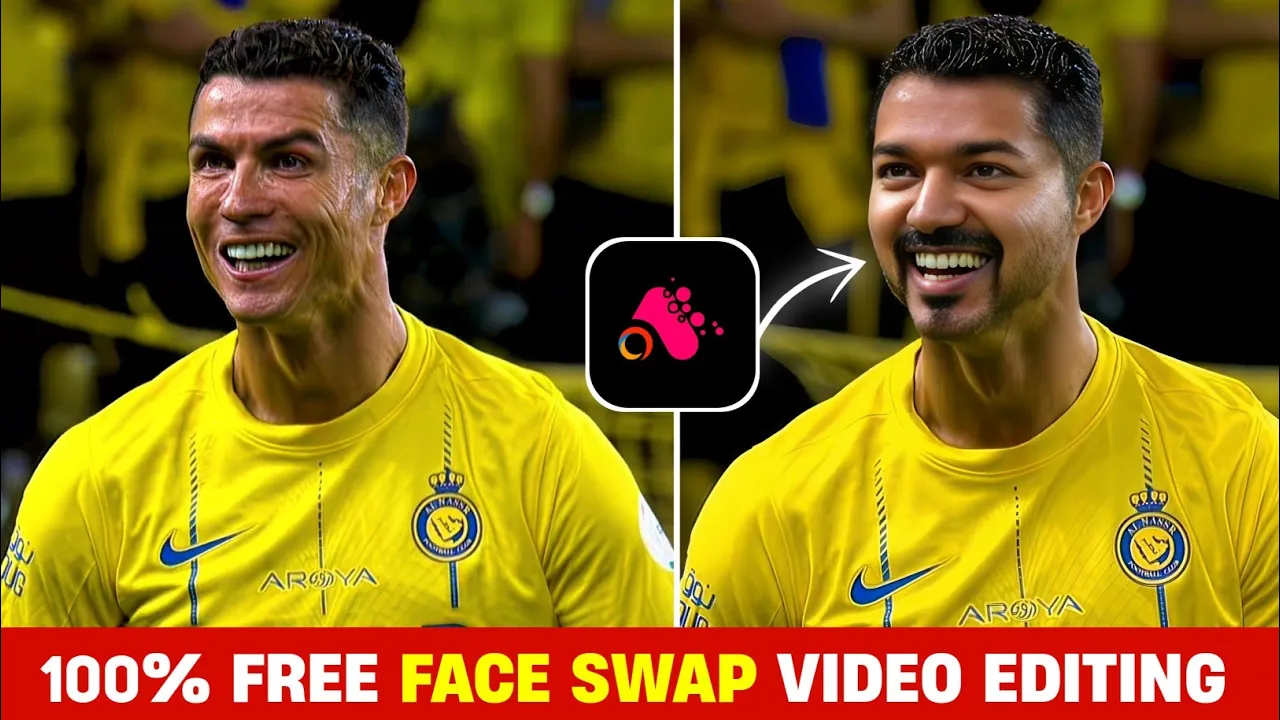
- Upload the video where you want to swap faces. For example, you can upload a clip of Cristiano Ronaldo.
- Next, upload the image of the person whose face you want to use, e.g., Vijay Thalapathy.
- Select Normal or HD mode (depending on your preference).
- Click on Create. The AI will start processing your video.
- Once complete, preview the result. The swapped face blends seamlessly into the video with no watermark.
- Download the video directly to your device.
The results are almost 100% accurate. For example, when swapping Ronaldo’s face with Thalapathy’s, the face looks perfect—only minor differences like hairstyle can affect the realism.
Daily Free Credits
One of the best parts about this AI tool is the daily free credits. Every day, you get 500 free credits, which can be used to swap faces in videos up to 500 seconds long. The credits refresh daily, so effectively, you can use it unlimited times.
Other AI Tools You Can Try
- Remove.bg – Background remover for images.
- Runway ML – Professional AI video editing tools.
- DeepAI Face Swap – Another free AI face swap option.
Final Thoughts
Arting AI is one of the best free AI video editing tools out there. With features like AI face swap, video enhancement, and background removal, it’s a complete package for content creators, editors, and social media enthusiasts. The fact that it provides free daily credits makes it even more powerful.
Go ahead, try it out, and let me know in the comments how it worked for you. Don’t forget—the link is available in the description box or directly on the official site.
That’s all for today. See you in the next tutorial—until then, stay happy and keep creating amazing content!
💬 Join our WhatsApp Channel for updates!
👉 Click here to join