How to Add Meme Clips to Your Normal Videos Using VN Video Editor
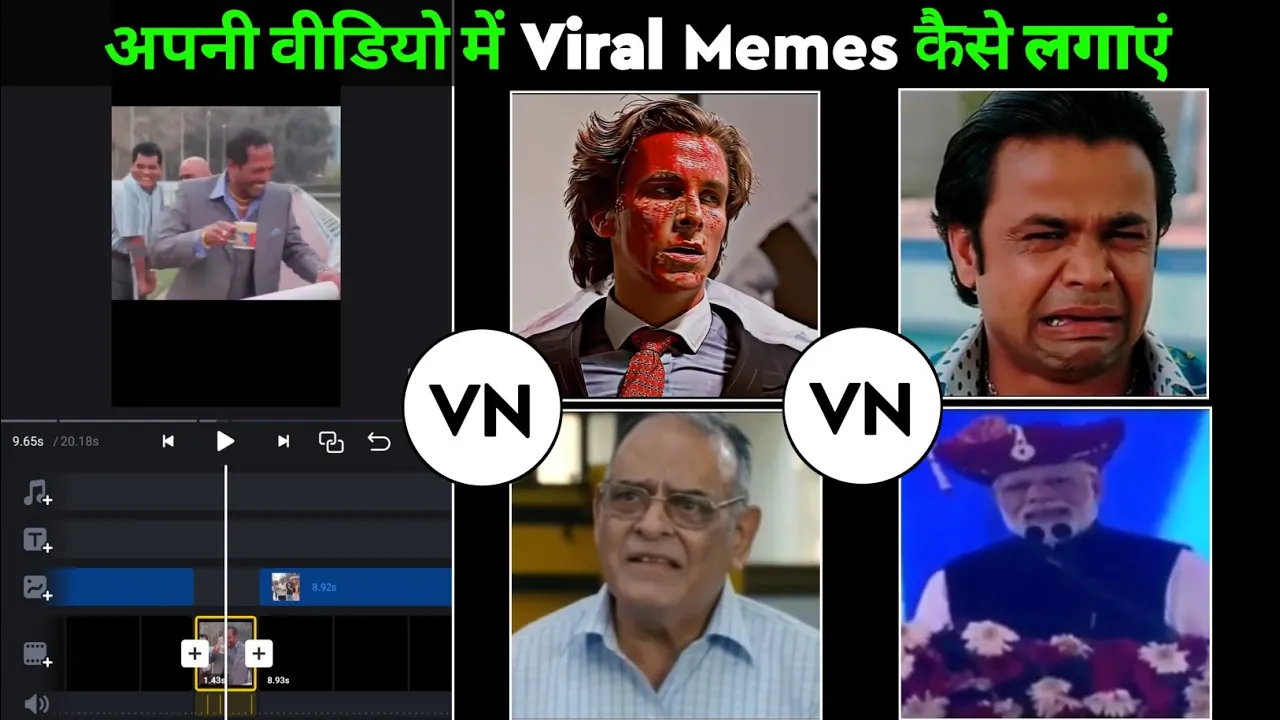
Hey guys, welcome back to another tutorial! In this post, I’ll show you how you can turn a normal video into something funny and entertaining by adding meme clips using the VN Video Editor app. This trick works perfectly for Instagram Reels, TikTok videos, or even YouTube Shorts. So, let’s get started!
Why Use Meme Clips in Your Videos?
Meme clips add humor, context, and relatability to your content. That’s why you see so many creators using them in their Reels and Shorts. Adding memes can instantly boost engagement and make your videos go viral.
Step 1: Download and Open VN Video Editor
- First, download VN Video Editor (free on Play Store and App Store).
- Open the app and tap on the plus (+) button to start a new project.
- Select a background color (black or white works best).
Step 2: Set Video Ratio
Since we are making content for Instagram Reels, choose the 9:16 ratio. This vertical format is perfect for Instagram, TikTok, and YouTube Shorts.
Step 3: Import Your Normal Video
- Go to the gallery option inside VN Editor.
- Select the video you want to edit.
- Adjust the size by zooming in with two fingers so that it fits perfectly in the frame.
Step 4: Add Meme Clips
Here’s the fun part! You can add meme clips exactly where you want them:
- Find meme clips from YouTube or other free resources. Just search for “meme sound effects” or “funny meme clips.”
- Import the clip into VN Editor.
- Use the split tool to trim extra parts and keep only the funny portion.
- Adjust placement so it aligns with the dialogue or moment in your video.
Step 5: Add Text Like Instagram Reels
You can also add text to make your videos more engaging:
- Tap on your video layer and select Text → Add Heading.
- Type something funny like “Straight Talk, No Nonsense.”
- Adjust font, size, color, and add stroke (outline) for better visibility.
Step 6: Export Your Edited Video
- Once you are done adding meme clips and text, tap on the Export button at the top.
- Save the video in high quality for sharing on Instagram, TikTok, or YouTube.
Pro Tips
- Keep meme clips short and precise for better comic timing.
- Use trending memes to increase the chances of going viral.
- Experiment with background colors and text overlays for variety.
Final Thoughts
And that’s it, guys! With just a few steps, you can turn any normal video into a funny meme-style video using VN Video Editor. Whether you are making Instagram Reels, TikToks, or YouTube Shorts, this technique will make your content more engaging and entertaining.
If you enjoyed this tutorial, don’t forget to give it a like and share it with your friends. And if you’re new here, make sure to subscribe for more editing tricks!
Also read:
💬 Join our WhatsApp Channel for updates!
👉 Click here to join